Intel MacBook Air
Ask about older wedge-shaped Air models and later Intel Retina models. Connector, keyboard and storage designs vary by year.

Expert Care. Precision Repairs. Trusted Service.
Get help if your Air has a damaged display, runs down before you finish working, or won’t respond to its charger. Share your model and symptoms with the workshop to discuss an assessment.

MacBook Air repair
An older Intel MacBook Air, an M1 Air and a redesigned 13-inch or 15-inch Air can use different displays, charging ports and internal parts. Share the year and chip if you know them. The same symptom can lead to different repair options.
Tell us what was happening when the fault appeared. Did the Mac wake from sleep, lose power while unplugged, or stop responding after an update or spill? That helps us decide what to check first.
Model generations
Ask about your exact model. Assessment and parts availability depend on the model and fault.
Ask about older wedge-shaped Air models and later Intel Retina models. Connector, keyboard and storage designs vary by year.
The M1 Air is fanless and uses USB-C charging. Note whether the issue began while using a charger, USB-C hub or external display.
Redesigned generations introduced MagSafe 3 alongside USB-C charging. Screen size and chip family help narrow down the correct parts.
Check About This Mac if your laptop starts. See Apple’s MacBook Air model identification guide.
Repair options
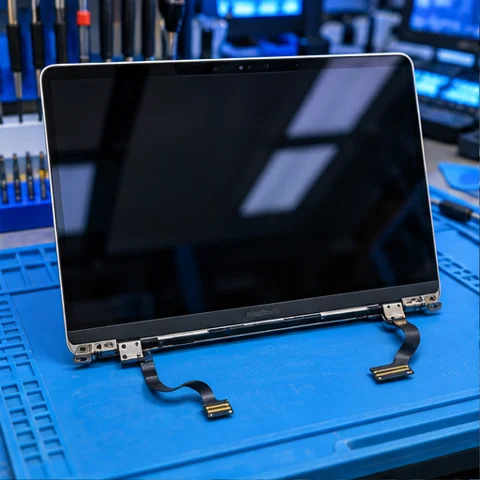
A thin line, ink-like blotch or cracked panel after pressure on the lid can point to physical screen damage. If the built-in display stays dark but the Air still starts, tell us whether an external display you already use shows a picture.
We check whether the issue points to the display assembly, connection or startup. A 13-inch MacBook Air display can differ from another 13-inch generation. The full model determines which replacement may fit.
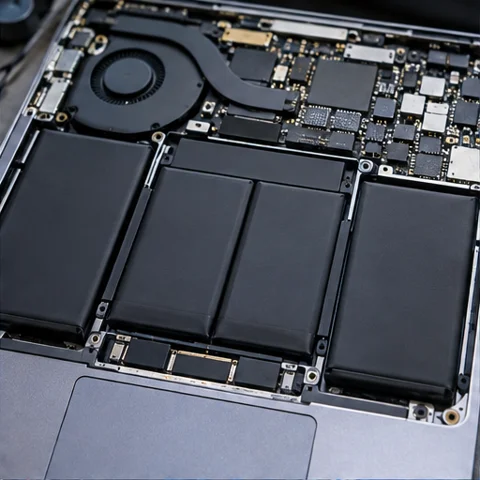
Tell us how long the Air lasts unplugged and whether it switches off while the battery gauge still shows charge. If the Mac starts, share the battery condition shown in settings.
Battery condition and charging behaviour help determine whether replacement is appropriate. If the bottom case or trackpad is lifting, stop using and charging the Mac and contact the workshop.
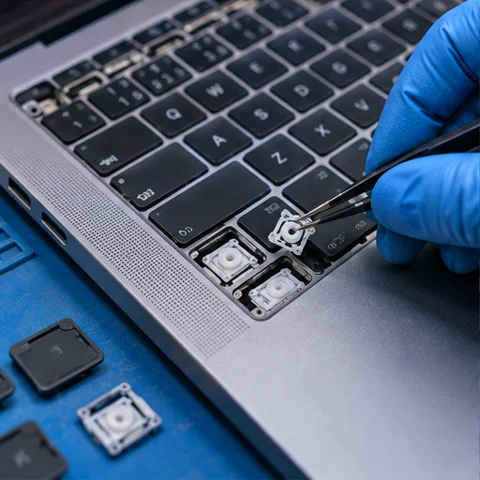
Describe which keys fail, repeat or feel stuck. Tell us if you can type with an external keyboard, or if the issue started after a spill.
Some Intel Retina Air models use butterfly keyboards. Later Air models use a scissor-switch design. The model and the affected area determine whether keyboard or larger assembly work is appropriate.
Does the pointer move but the trackpad no longer click? Does it stop responding only when the Mac wakes? These details help separate click feedback, input settings and hardware symptoms.
The workshop may check the trackpad, its connection and the area around the battery. A physically raised or stiff trackpad merits assessment before further use.
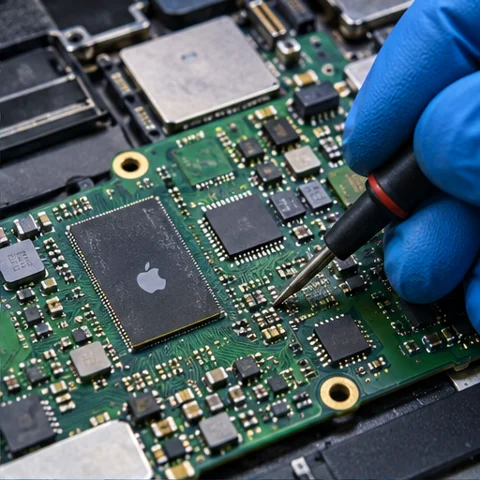
Intermittent power, several functions failing together or no response after liquid exposure can point to a logic board fault. A charger, battery or port fault can also leave the Mac unresponsive.
We assess the likely source before discussing board repair or replacement. Storage is integrated on many Air models, so tell us before board work if preserving files is the priority.

If your Air is dry and undamaged, check the wall outlet and try another known working compatible charger and cable if available. Note whether any sign of charging or startup appears.
Older Intel Air models may use MagSafe, the M1 Air charges by USB-C, and redesigned Air models can use MagSafe 3 or compatible USB-C charging. The power connection, battery and internal circuitry may all need checking.
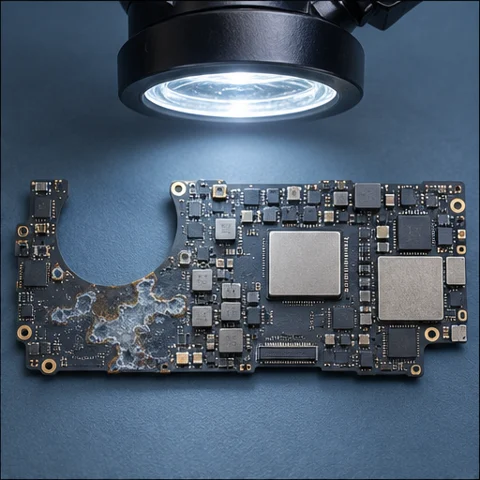
Switch the Air off and disconnect it from power if safe. Leave it off and contact us before charging or restarting it. Share what spilled, where it landed and when it happened.
Liquid can affect the keyboard, trackpad, connectors or logic board. An assessment helps determine which parts are affected and whether repair is feasible. Mention any files you need before approving work.

If startup stalls, an update fails or the Air restarts repeatedly, note the last screen or error. On fanless Apple silicon Air models, warmth during heavier work can be expected. Persistent heat, shutdowns or slowdowns during light use warrant a closer look.
We consider macOS, available storage and hardware symptoms. Recovery controls differ between Intel and Apple silicon models. Back up accessible files and tell us what you need to keep before any reinstall or storage work.
Common problems
Repair process
Send the model or approximate year and what the Air does when you try to use it.
We check the reported symptom and model-specific causes.
We explain the work, estimated cost and timing, including any parts that need sourcing.
You decide whether to proceed. We discuss any change to the scope first.
We carry out the approved work where feasible and test the affected functions.
We walk you through the work performed and any remaining issues.
Pricing factors
Screen assembly compatibility, battery availability, damage to more than one component, and the work involved all affect the quote. If the Air still starts, tell us which functions you can use and which have stopped working.
Ask what the estimate covers and whether assessment is charged separately. We may need to inspect the device before confirming price or turnaround.
Why choose us
We ask for the Air’s exact model and symptoms before proposing parts or work.
We explain the recommended work, cost and timing, so you can decide whether it makes sense for your device.
Message us on WhatsApp with questions about the assessment, charger or important files. Learn about the workshop.
Visit us
Contact us before travelling to discuss the model and whether you should bring its charger or another accessory.
Speak with the workshop
WhatsAppChat with us on WhatsAppFAQs
Visit the workshop at Walker House near Lamington Road. Open our Google business listing before travelling.
Yes, ask about assessment for your exact generation. Share the year, chip and screen size if known. The repair depends on diagnosis and compatible parts.
You may need a display assessment if the Air starts but shows no image. A startup fault can also leave the screen blank. See the display checks.
It can. A charging or power fault can have similar symptoms. See what to share for a battery assessment.
Click settings, haptic feedback or a physical fault can be involved. Describe the trackpad symptom, especially if it feels raised or stiff.
Share which compatible charger you tried and whether there are any signs of startup. See power assessment guidance.
The estimate depends on the model, diagnosis, work and parts. See the pricing factors or request a quote.
Back up accessible files if you can. If the Mac won’t start, discuss which files matter before approving board or software work.
MacBook Air enquiry
Share your model, the symptom, and what changed before it started. We’ll discuss the next step for an assessment or quote.