Intel MacBook Pro
Ask about older 13-inch, 15-inch or 16-inch Intel generations. Battery, keyboard, port and display designs vary by year, so a screen size alone is rarely enough to identify a part.

Expert Care. Precision Repairs. Trusted Service.
Cracked screen, battery warning or a MacBook Pro that won’t turn on? Share the model and symptoms with our workshop. We’ll discuss what needs assessing before you decide on a repair.

MacBook Pro repair
Apple Laptop Repairs assesses MacBook Pro display, battery, input, power, logic board and macOS problems. A Mac that has no signs of power needs different checks from one that starts with a blank screen or stalls at the Apple logo.
Share when the issue began, whether it comes and goes, and any recent update, impact or spill. We’ll explain what can be checked and how to request a firm quote.
Models and generations
Ask about your model before visiting. We assess availability by exact model, fault and compatible parts.
Ask about older 13-inch, 15-inch or 16-inch Intel generations. Battery, keyboard, port and display designs vary by year, so a screen size alone is rarely enough to identify a part.
Ask about 13-inch, 14-inch or 16-inch models with Apple silicon. The chip family and model year help identify compatible parts and the correct startup or recovery controls.
If the Mac starts, look under Apple menu → About This Mac. See Apple’s MacBook Pro model identification guide.
Repair options
Find the issue you’re seeing and learn what the workshop may need to check.
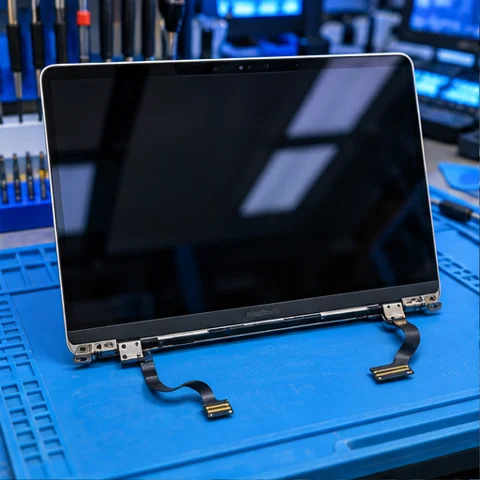
Tell us whether the glass is cracked, the image flickers, lines appear, or the screen stays black while the Mac seems to start. Note if the image changes with the lid angle or if an external display you already use still works.
A black screen can come from a display, connection or startup fault. A compatible screen assembly depends on the exact model and generation, even within the same screen size.
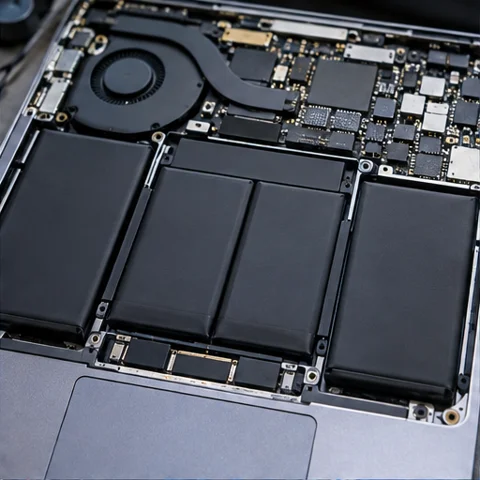
Short runtime, sudden shutdowns when unplugged or a battery service warning can point to wear. Note the Battery Health status if the Mac starts and whether charging works consistently.
We assess the battery and charging system before recommending a replacement. Battery design and repair scope vary by generation. If the case or trackpad is lifting, stop using and charging the Mac and contact the workshop.
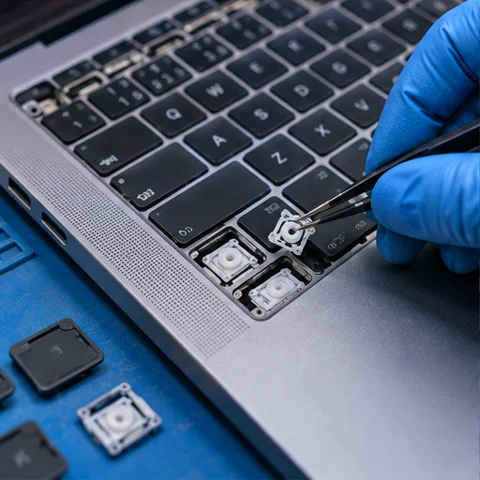
Tell us if keys repeat, a row stops responding or the trackpad stops clicking. Mention a spill, impact, or whether an external keyboard still works.
Some Intel models use butterfly keyboards, while other Intel and Apple silicon models use scissor-switch designs. MacBook Pro keyboard replacement options depend on the exact model and may involve a larger assembly.
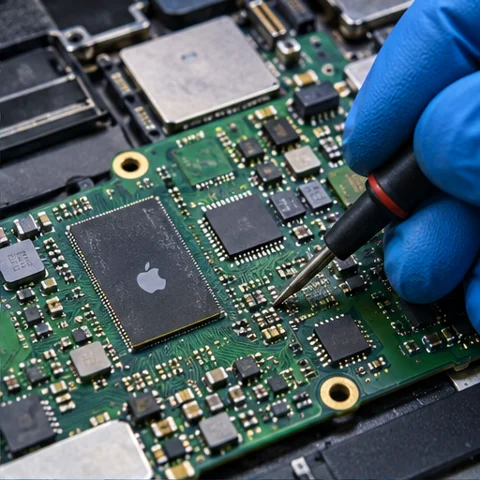
Intermittent power, unexpected shutdowns or multiple faults after a spill can involve the logic board. Charger, battery and port problems can produce similar symptoms.
We assess whether repair of the board, replacement, or work elsewhere is appropriate. On models with integrated storage, discuss file access before approving any board work. Data access depends on the original hardware and encryption.

If your MacBook Pro is not turning on, note whether it responds to its charger or shows any sign of startup. If the device is dry and undamaged, check the outlet and try a known working compatible charger and cable if available.
Depending on the generation, a MacBook Pro may use USB-C, MagSafe or both. The model and symptoms guide checks of the adapter, port, battery and internal power circuitry.
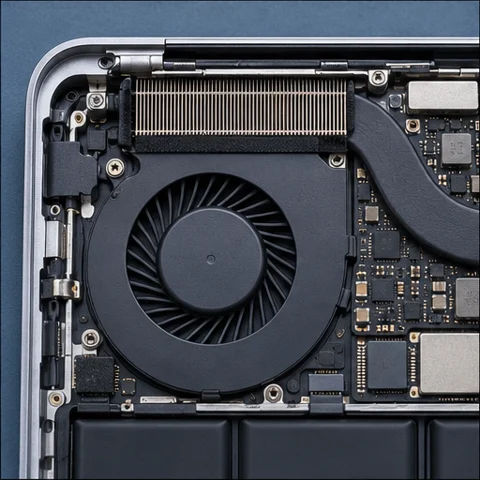
Tell us what was running when the Mac heated up and whether you noticed fan noise, slowdown or shutdown. A sustained export or compile can put more load on cooling than ordinary use.
Heat and fan behaviour vary by model and workload. Repeated shutdowns or unusual heat during light use may need software and cooling-system assessment.
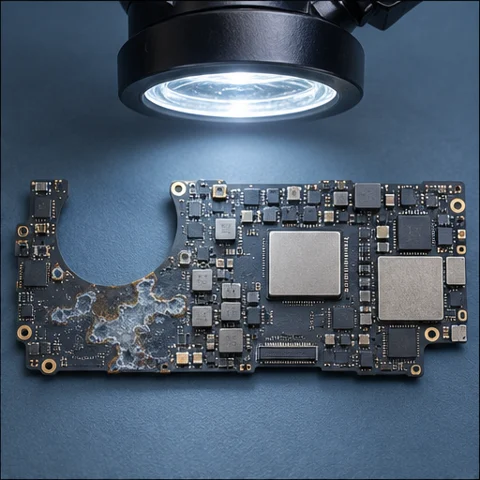
After a spill, switch off the Mac and disconnect external power if safe. Leave it off and contact us before trying to charge or restart it. Tell us what spilled and when.
We assess the affected areas and discuss feasible work. Repair options depend on the damage found. Tell us early if access to files matters more than getting the Mac running.

An Apple logo that stays on screen, failed updates or repeated restarts can have software, storage or hardware causes. Share what changed before the problem and any error message.
Intel and Apple silicon Macs use different startup and recovery controls. We discuss a model-appropriate assessment and which steps could affect your files before any reinstall or erase.
Repair and testing
Share the model, symptoms and any recent drop, spill or repair.
We look for the likely cause and identify checks relevant to your model.
We explain the proposed work, estimated cost and timing.
You decide whether to proceed. We discuss changes before carrying out additional work.
After the approved work, we check the affected functions, such as charging, display, input or startup, where applicable.
We explain what was done and flag any remaining issues when you collect your Mac.
Repair pricing
Pricing depends on the exact model, the diagnosed fault, parts and the work involved. A cracked display, a display cable fault and a startup fault can look similar from the outside but lead to different quotations.
Ask what the quote covers, whether assessment is charged separately and how parts availability affects the estimated turnaround.
Why choose us
We take the generation, symptoms and repair history into account before recommending work.
We describe the proposed work and give you a chance to approve it before proceeding.
Speak to our team before travelling to Walker House. Learn about our workshop or browse all repair services.
Visit us
Message us on WhatsApp before visiting to discuss availability for your model and whether to bring your charger.
Workshop contact
WhatsAppChat with us on WhatsAppFAQs
Visit our independent service workshop at Walker House in Mumbai. Open our Google business listing for directions.
Yes. Share the screen size, year or chip to help us check the right repair and parts options. Availability depends on the model and diagnosis.
A blank screen can also involve startup, the backlight or the display connection. See what to share before a display assessment.
Ask if the Mac shuts down unplugged, runs down quickly or displays a battery service message. See our battery assessment guidance.
Yes. The battery, charger, port and logic board can all be relevant. See the no-power checks and tell us if liquid or impact was involved.
The exact model, fault, parts and work involved affect both. See the pricing factors or send your symptoms for a quote.
File access depends on the model, the original hardware and encryption. Back up accessible files and discuss data needs before approving board work.
MacBook Pro enquiry
Share the model, fault and when it started so we can discuss the next step.